Applied Benefits Designer
Applied Epic
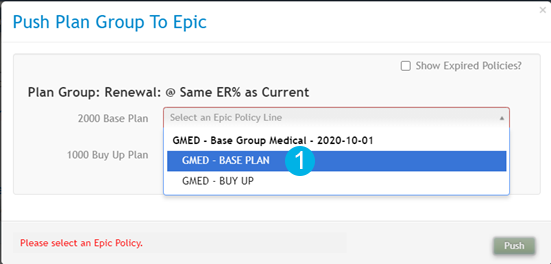
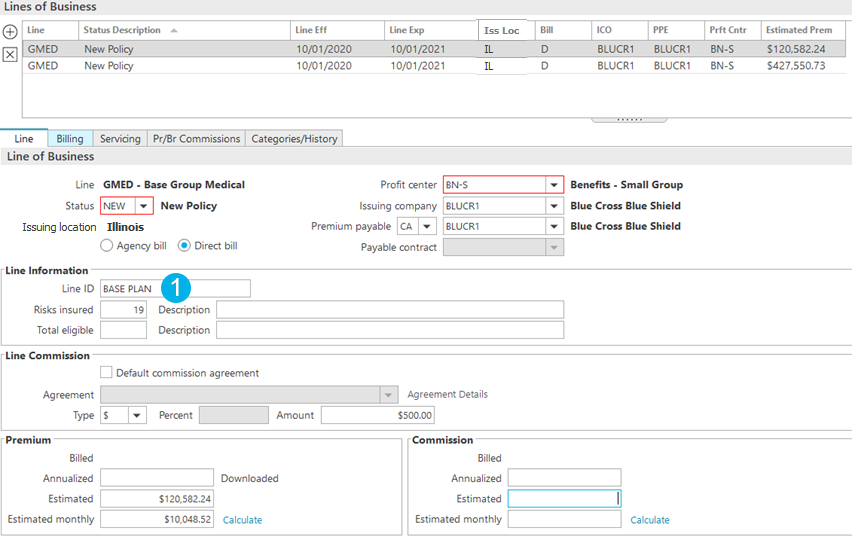
Before you begin integrating Applied Benefits Designer with Applied Epic, you must understand the Epic requirements. These requirements affect what data syncs and where it ends up in Applied Epic. You must also understand the impact of Benefit Custom Forms and their configuration. Additionally, you need to know how Line IDs can help you make fewer mistakes when selecting an Epic policy in Benefits Designer.
Benefit Custom Forms are necessary for the integration because they act as the foundation for Epic Benefits policy data. The integration only leverages the defined fields in those forms and updates. Here are some details on how you can expect the integration to be affected depending on how you implement and/or modify these Benefits custom forms.
Defining or entering the Line ID for a policy in Applied Epic makes it easier to identify that policy in Benefits Designer, as the Line ID (along with the policy type code) displays when you select the policy in Benefits Designer. Applied recommends adding the Line ID column to your policy list so you can more easily identify whether or not a Line ID is defined on your policy. If you do not add the column, you must navigate to the policy detail (Servicing/Billing > Line > Line tab) to see if a Line ID is defined.
Applied Benefits Designer |
Applied Epic |
|
|