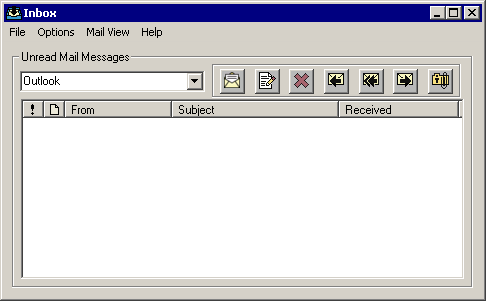
By default, the Inbox displays email messages that have not yet been read by the current user within TAM. If you are using Microsoft Outlook, any unread email messages in your Inbox will display in the list.
From Home Base, click the Inbox button to access your unread messages.
|
|
Open email: Click this button to open the selected email and view any attachments. |
|
|
Create new mail message: Click this button to create a new email message. |
|
|
Delete: Click this button to delete the selected email. |
|
|
Reply: Click this button to open a reply email screen addressed to the sender of the email. The text of the original email is included below the response. |
|
|
Reply to All: Click this button to open a reply email screen addressed to the sender and all individuals carbon copied (CC) on the email. Again, the text of the original email is included below the response. |
|
|
Forward: Click this button to open a new email screen with the original email included. The To field is blank. |
|
|
Attach to Client: Click this button to attach the email to a specific client. If the Create Activity checkbox is marked, an activity will be created. |


